Environmental laboratory
Published over 10 years ago. See the latest and most current information on Environmental laboratory.
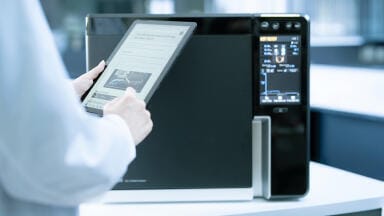
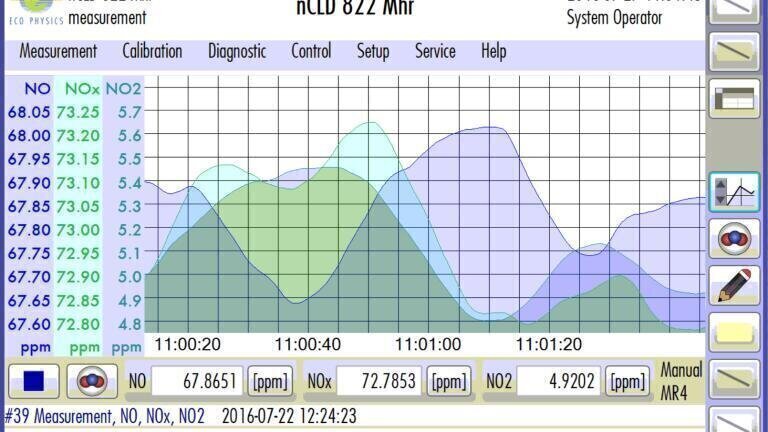
Available for CLD60, CLD Supreme-Line and the upcoming CLD series, from Eco Physics (Switzerland), the “GUI - Graphical User Interface” controls the instrument set-up, calibration, measurement, data management and remote operation. GUI is navigated via the 8-inch touchscreen at HD-resolution. The platform displays and manages a user optimised presentation, instrument setup, security, timer control (measurement, calibration, linearisation sequences), data logging, data storage, diagnostics and signal in-/outputs (Analogue In/Out, RS-232 Serial connector, Digital In/Out, LAN, WiFi). The CLD dashboard can display your values individually, for instance by a simple screen, detailed view, or graphical curve. Each screen can be altered within, for instance by fading in additional data or fading out information that you may not require for the moment.
GUI also includes the settings for remote control and remote operation by RDC (Remote Desktop Control) and VNC (Virtual Network Computing). Both features possess recommended security settings, which can be individually altered. It is possible to set up 4 user logins, which can be protected by a password on demand. The (1) Standard User has, beyond his Login, no additional protection and is able to operate the unit without changing the parameters. The (2) Extended User is additionally able to define and execute a calibration. (3) Maintenance covers all previous features, including the instrument’s setup and access to the instrument parameters. The (4) System Operator is restriction free and also manages the security settings of the instrument. He is able to individually customise the access authorisation for each user.
While operating your instrument, “GUI” offers a quick “Help” function, which will offer direct assistance for your currently opened window, as well as a link to the online manual of your instrument. If required, “Help” will guide you step by step through each function of the instrument, beginning from the instrument’s set-up to the more complex operation features.
With the implementation of “GUI” Eco Physics takes the individual, customer friendly operation of CLD-analysers to a whole new level.
IET 36.5 Sept/Oct 2026



 Product directory