Environmental laboratory
Published over 9 years ago. See the latest and most current information on Environmental laboratory.
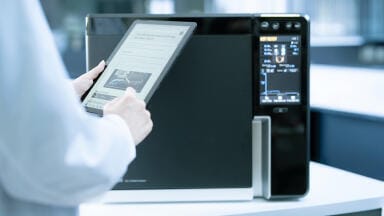
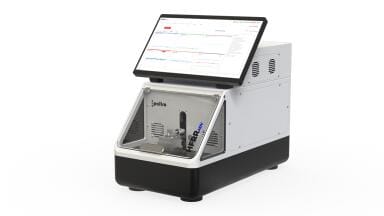
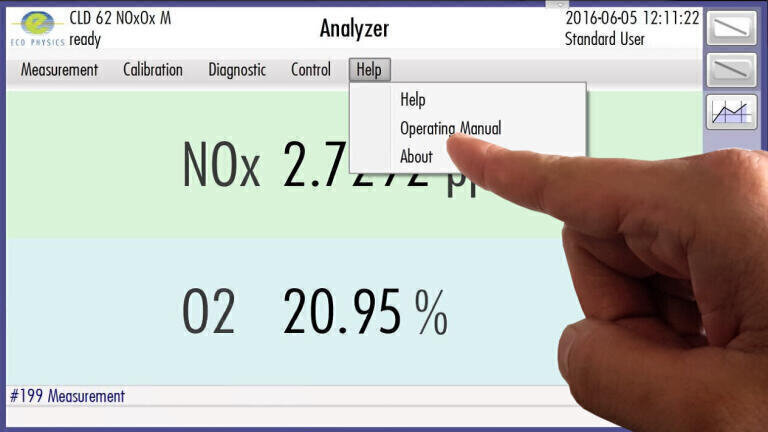
Eco Physics’ (Switzerland) new “GUI - Graphical User Interface” enables an intuitive and user friendly operation of your CLD analyser, including instrument set-up, calibration, measurement, data management and remote operation. GUI is navigated via the 7-inch touchscreen (for the CLD 60 and CLD Supreme line series) and now even via the larger 8-inch, HD-resolution touchscreen for the upcoming nCLD-series (including nCLD60, nCLD800 and nCLD Supreme Line – series).
Its main features are: Security Management (accessibility, individual user optimised presentation), Time Controlled Processes (measurement, calibration, and linearisation sequences), data logging and data storage (measurements, calibration history, and linearisation history), setup, control and diagnostics, signal In- and Output management. The CLD-Dashboard can display your values by 3 options: graphic screen, simple screen, detailed screen. GUI can be accessed by 4 possible user logins, which enable different, individually set operations. The surface is divided into 6 major compartments. The “Operation” button comprises the main functions of the instrument, were you can select your gas source and your measurement range. Additionally you can alter the measurement sequence and determine, if you wish to store or export the measurement data. The instrument can be powered down and put to standby in this window. Via the “Calibration” button can check on your calibration history, set the calibration sequence, conduct a single step zero or span calibration, set the calibration factors and store the data. Additionally you can also set up your linearisation sequence, perform a single step linearisation and check upon your instrument’s linearisation with your calibration gas. With “Diagnostic” you can check upon your instrument’s performance. It will display, if any adjustments are required. “Control” sets up the communication pathways to operate your instrument. For instance it displays your remote operation settings. “Setup” controls the basic settings of the instrument, such as the language, application, communication and security management. While operating your instrument, GUI offers a quick “Help” function, which will offer direct assistance for your currently opened window, as well as a link to the online manual of your instrument.
“GUI” is a new level of intuitively controlling and conducting your NOX-measurement and it will also be available on the next generation of CLD-analysers: the “neo CLD” Series. With the help of the upgraded 8-inch, HD resolution touchscreen and an unmatched connectivity, the neo CLD will simplify your NOX-measurement and will enable expert level performance for every user type. Details will follow in 2017!
IET 36.5 Sept/Oct 2026


 Product directory