Water/wastewater
Published over 17 years ago. See the latest and most current information on Water/wastewater.
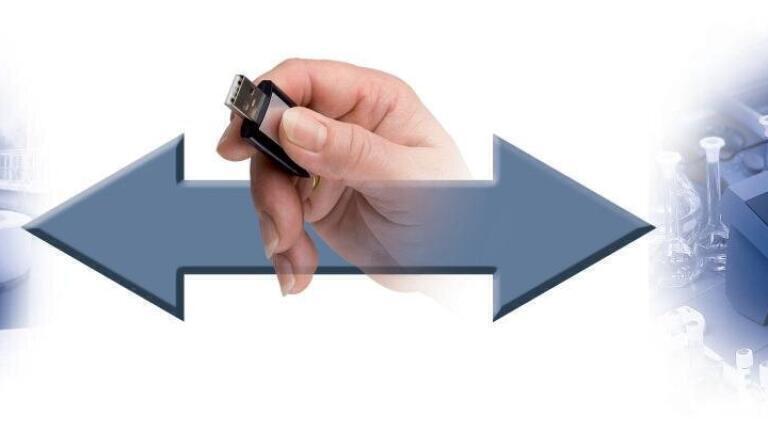
IQ–LabLink by WTW is a newly developed software-based procedure for data exchange between online and laboratory metering systems. The manual alignment of online and laboratory data sets, which has always been a potential error source, is thus no longer necessary. The data exchange is done via standard USB sticks. For a reliable and traceable data transfer, the IQ–LabLink procedure is fully automatic and recordable. The handling is menu-driven and intuitive.
Prerequisites for the automatic IQ–LabLink procedure are online and laboratory hardwares supporting the IQ-LabLink software and equipped with USB interfaces. The first WTW instruments to fulfil these demands are the laboratory spectrophotometers spectroFlex 6100 and 6600 and the new Terminal/Controller MIQ/TC 2020 XT for connection to the IQ SENSOR NET.
The IQ–LabLink marks the dawn of a new era in which data transfer and exchange betwee the online and the laboratory world will be done automatically, reliably and easily.
Matrix adjustment via IQ–LabLink
What is matrix adjustment?
Matrix adjustment or referencing of the nitrate and ammonium sensors means the best possible adaptation of these sensors to the specific waste water composition of the particular plant. The raw sensor measurement values are compared to the photometric values of water samples taken from close by. These photometric values are then given back to the sensor to correct the online measurement.
What is IQ–LabLink?
IQ–LabLink is a new procedure for automatic bidirectional exchange of online and photometry data as required for matrix adjustment. Any risk of confusion is thereby excluded.
How does the matrix adjustment via LabLink work?
Step 1, IQ SENSOR NET terminal (online):
Creates a job file on a USB stick with the currently measured sensor values
Step 2, photometer (laboratory)
Reads the job file, assists the user with measuring the required parameters and stores the photometric data back on the job file
Step 3. IQ SENSOR NET terminal (online):
Reads the photometric data from the job file and adjusts the sensor values accordingly
IET 36.5 Sept/Oct 2026



 Product directory
























.jpg)